MAC is for Mac Android Connect
Plug in your Android — it appears in Finder like a USB drive. Deep folders, drag-and-drop both ways, no freezes.
Get MAC — $5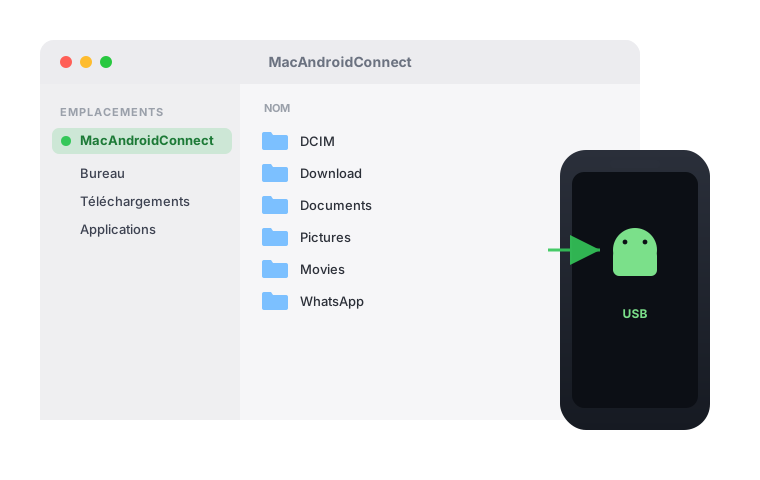
Everything you expect from an external drive
Real Finder volume
Your phone mounts as a true volume in Finder — browse it like a USB key.
Deep folders, no limits
Navigate sub-sub-folders reliably. No crashes, no “Loading…” forever.
Drag & drop both ways
Copy files and entire folders to and from your phone by dragging.
Automatic
Plug in and the window opens by itself. Unplug and it cleans up.
Up and running in seconds
- Install once (adb + macFUSE), then plug in your Android.
- Allow USB debugging on the phone — tap “Always allow”.
- Your phone opens in Finder. Drag files in and out.
One price. Yours for good.
No subscription. Pay once, use it on your Mac.
- Lifetime licence for one Mac
- Free updates
- Move it to a new Mac anytime
Frequently asked questions
Which Macs are supported?
Any modern Mac on macOS (Apple Silicon or Intel). Requires macFUSE, installed during setup.
Does it work with any Android?
Yes — any Android phone with USB debugging enabled. Connection is over USB via adb.
Can I move my licence to another Mac?
Yes. Release your current Mac from the “Move your licence” page, then activate the new one.
Is there a subscription?
No. It is a one-time $5 purchase for one Mac.
Do you offer refunds?
Refunds are available within 1 hour of purchase — see our Refund Policy.
Ready to open your Android in Finder?
One-time $5. Plug in and go.
Get MAC — $5